Loading

Kyte
Website and app blocker that lets you allow a single page, for focused work
getkyte.onlineFreemiumChrome extension, macOS, Web
Founding
- Launching in week 52
 by Nikhar Gupta
About Kyte
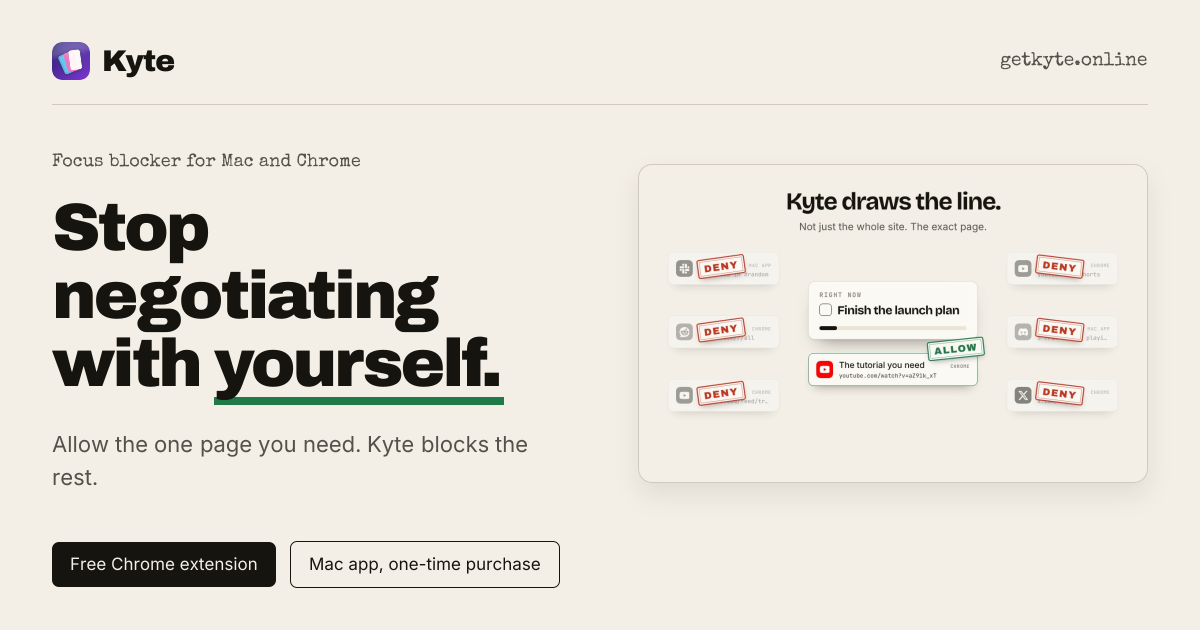
Kyte is a focus blocker for Mac and Chrome. You set a block on a site or app, and Kyte keeps it closed until your session ends. Its main difference is URL-level blocking: instead of unblocking a whole domain, you can allow one specific page, such as a single YouTube video or one document, while the rest of the site stays blocked. In the browser, you can block a site by domain or exact path, block a feed while keeping a doc open, and run timed sessions with an optional lock.
On Mac, Kyte works at the system level. It can block any app, such as Slack, games or social media, set recurring daily focus schedules, and be controlled from the menu bar. The Mac app is a one-time purchase of $19 and requires macOS 13 or later. The Chrome extension is free, and its core blocking and timed sessions do not need an account. An optional Locked In Mode is sold separately as a one-time purchase.
Kyte is built for people who lose time to feeds, videos and quick checks during work, and who would rather not hand a focus app their browsing history. According to the site, blocklists, allowlists and browsing activity stay on the device, with no cloud sync and no analytics.






Discussion
No comments yet.
Have a question for the makers?
Sign in to leave a comment.