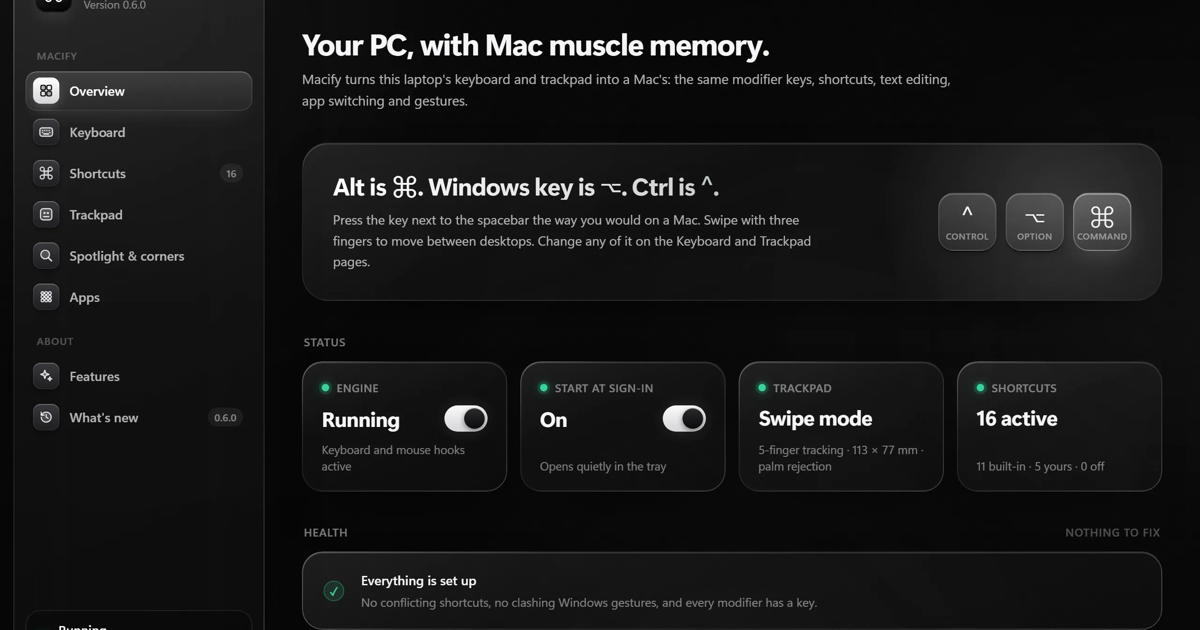
Macify is a Windows 10 and 11 utility that makes a Windows laptop behave more like a Mac. It turns the Alt key into ⌘ Command, so shortcuts such as ⌘ Space, ⌘⇧4, ⌘T and ⌘W work in every app, and it adds a Dock and menu bar that can be switched on or left off. Three-finger drag, Mission Control and App Exposé swipes, and optional drawn gestures are included, along with a Spotlight-style search that opens Windows apps when you type Mac app names.
Other features on the page include custom shortcuts and key remapping, hot corners, text replacements, a file tool set for converting, compressing, merging and splitting PDFs and images on your own PC, and a dictation mode that types speech into any app using an offline speech model. Macify runs as you from the system tray without admin rights and is sold as a one-time $20 lifetime license that can be used on up to 3 devices.
Macify is aimed at people who use a Mac at home and Windows at work or school, and at Windows users who want Mac-style keys and gestures. Terminals, remote desktops, virtual machines and games can keep normal Windows keys.

 by Aryan Bartwal



Discussion
Macify is a Windows app that makes your PC behave like a Mac. Alt becomes ⌘, and every ⌘ shortcut works. Terminals keep ⌃C. Keyboard: Mac text editing, accents on hold, text replacements, and custom remaps per app. Desktop: ⌘Tab, Spotlight on ⌘Space, window tiling, Dock and menu bar, Control Center, and Mac screenshot keys. Trackpad: three-finger drag, Mission Control swipes, pinch for Launchpad, and 15 assignable gestures. Local only: offline dictation and file tools (image and PDF conversion). Nothing goes to the cloud. For fun: 25 key sounds, from clicky switches to marimba. It needs no admin rights, so it works on locked-down work laptops. It’s a solo project, so expect rough edges. SmartScreen may warn on first install because it isn’t code-signed yet. The price is $20 once, with no subscription, and it updates itself. I built it after my job handed me a Windows laptop. If you’ve made the switch, what still trips you up on Windows?
Have a question for the makers?
Sign in to leave a comment.